Add a root category
When to use this: you are starting a new branch of your internal taxonomy — for example Medicines, Personal Care, or Medical Devices.
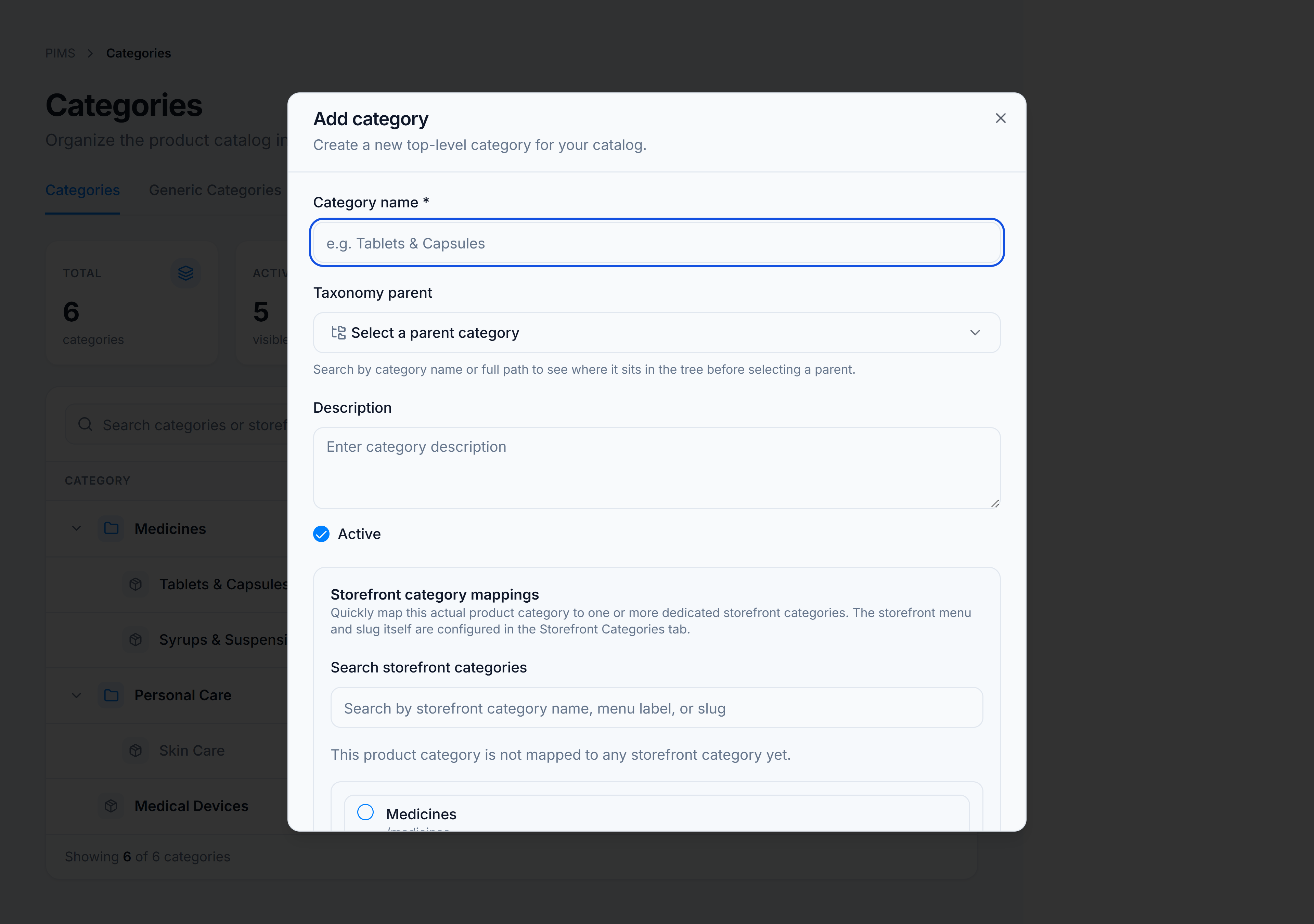
Steps
- Open Catalog → Classification → Categories and stay on the Categories tab.
- Click Add Category in the page header.
- Enter a Category name (required).
- Optionally add a Description and toggle Active.
- In Storefront category mappings, check one or more storefront menu entries if this taxonomy node should appear under those menus.
- Click Add Category.
You’re done when
The new category appears at the top level of the tree and the Root count in the summary rail increases by one.
If it goes wrong
| Message | Cause | Fix |
|---|---|---|
| Category name is required | Name field is empty | Enter a name before saving. |
| No tenant ID available | Session/tenant context lost | Refresh the page or sign in again. |