Add a child category
When to use this: you already have a parent category and need a more specific child — for example Tablets & Capsules under Medicines.
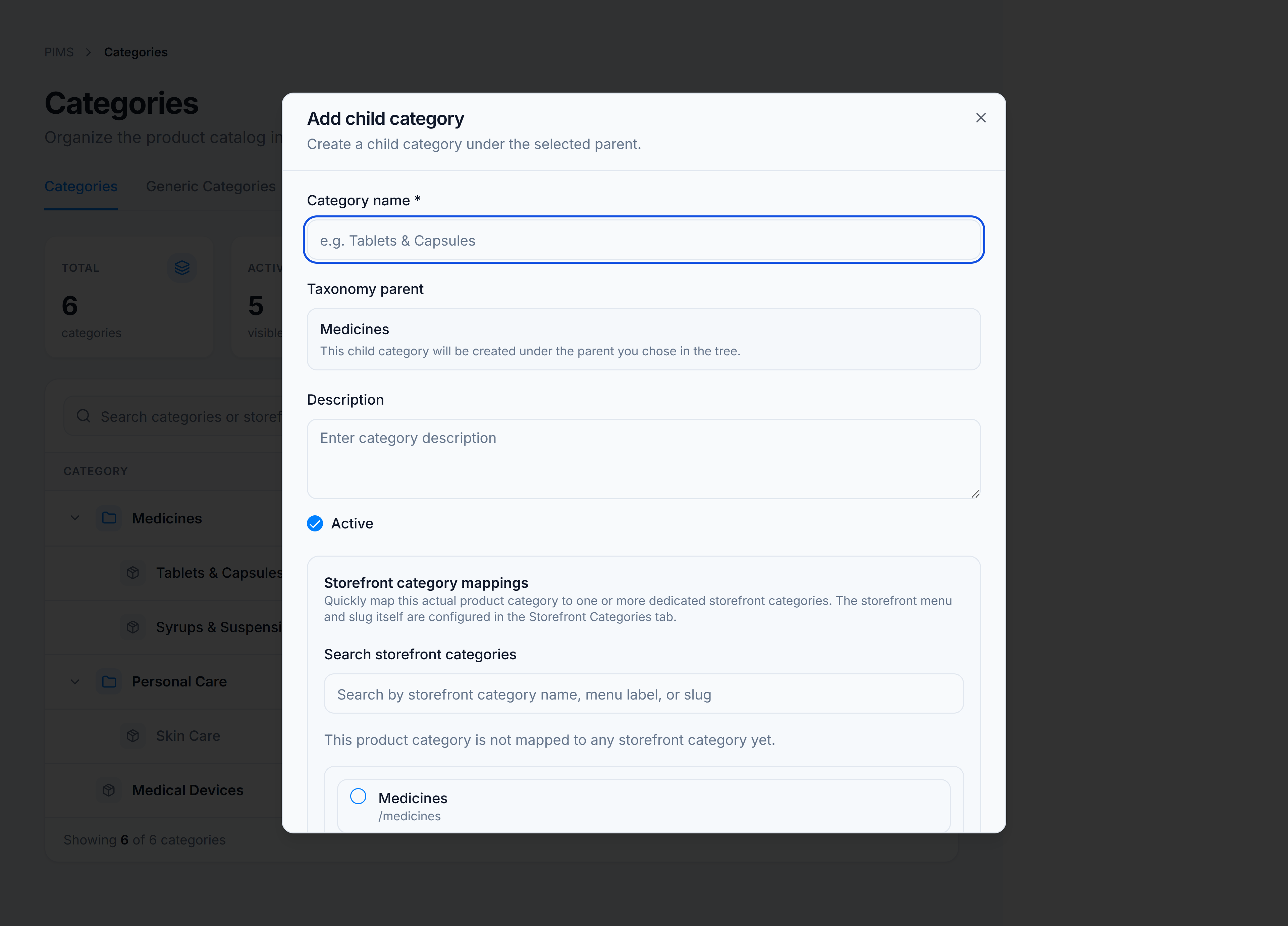
Steps
- On the Categories tab, hover the parent row in the tree.
- Click the + action (Add subcategory) or choose Add subcategory from the ⋮ menu.
- Enter the Category name and optional Description.
- Leave Active checked unless the category is not ready for use.
- Map Storefront category mappings if needed.
- Click Add Category.
You’re done when
The child appears indented under its parent in the tree. The Products column shows zero until products are assigned.
Good to know
- The Taxonomy parent selector is hidden when adding from a parent row — the parent is already chosen.
- Child categories inherit no automatic storefront mapping; map them explicitly if the menu should reflect the child.