Edit a category
When to use this: rename a category, deactivate it, move it under a different parent, or change which storefront menus it maps to.
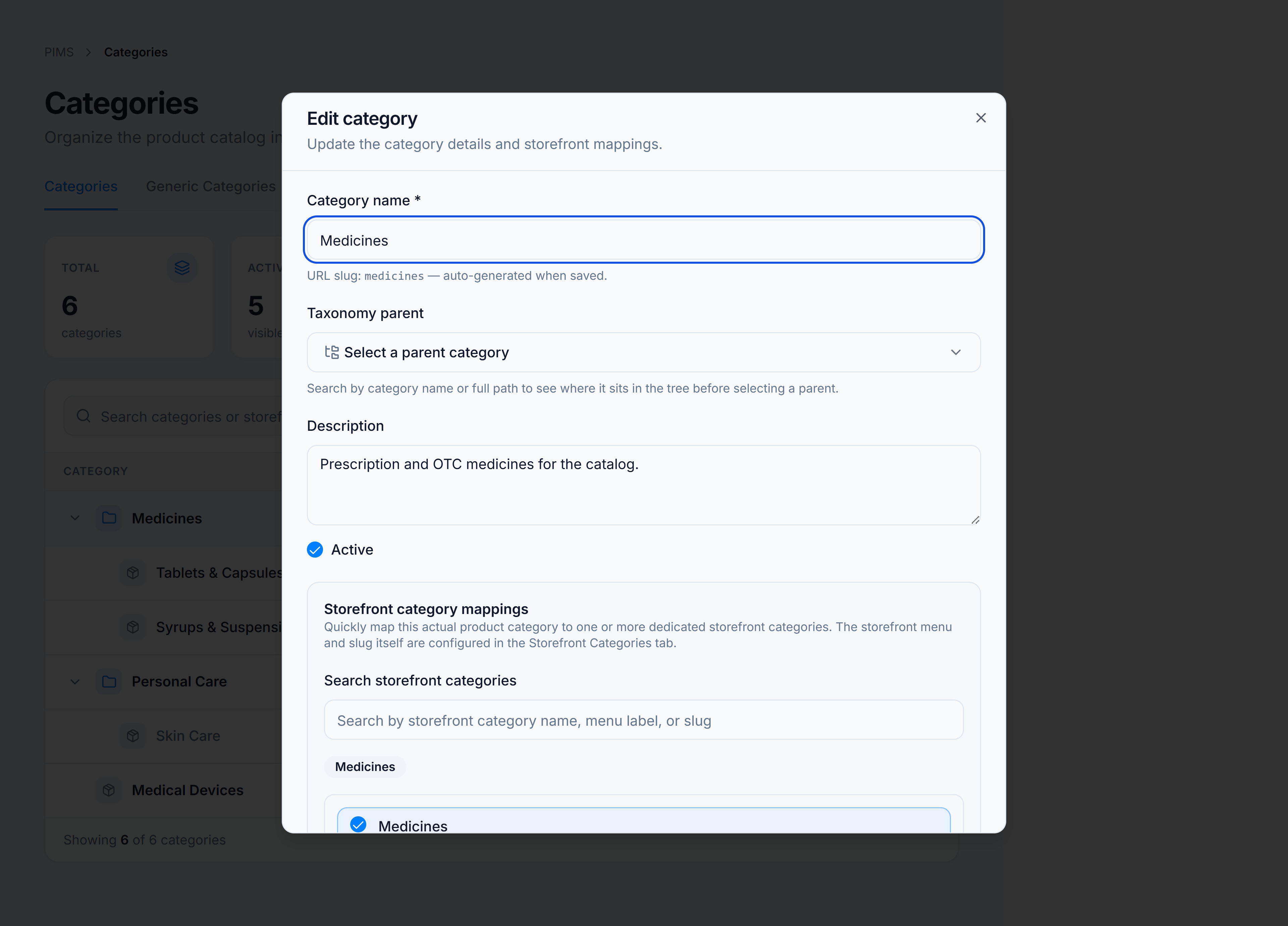
Steps
- Hover the category row and click Edit, or open the ⋮ menu and choose Rename.
- Update Category name, Description, or Active.
- For root-level categories, change Taxonomy parent if the node should move in the tree.
- Adjust Storefront category mappings — check or uncheck menu entries.
- Click Update Category.
You’re done when
The tree row reflects your changes. Inactive categories show Inactive in the Status column and appear dimmed.
Good to know
- The URL slug (shown when editing) is auto-generated on save — you cannot edit it directly on this screen.
- Storefront menu labels and slugs themselves are managed on the Storefront categories tab.