Process a claim
Steps
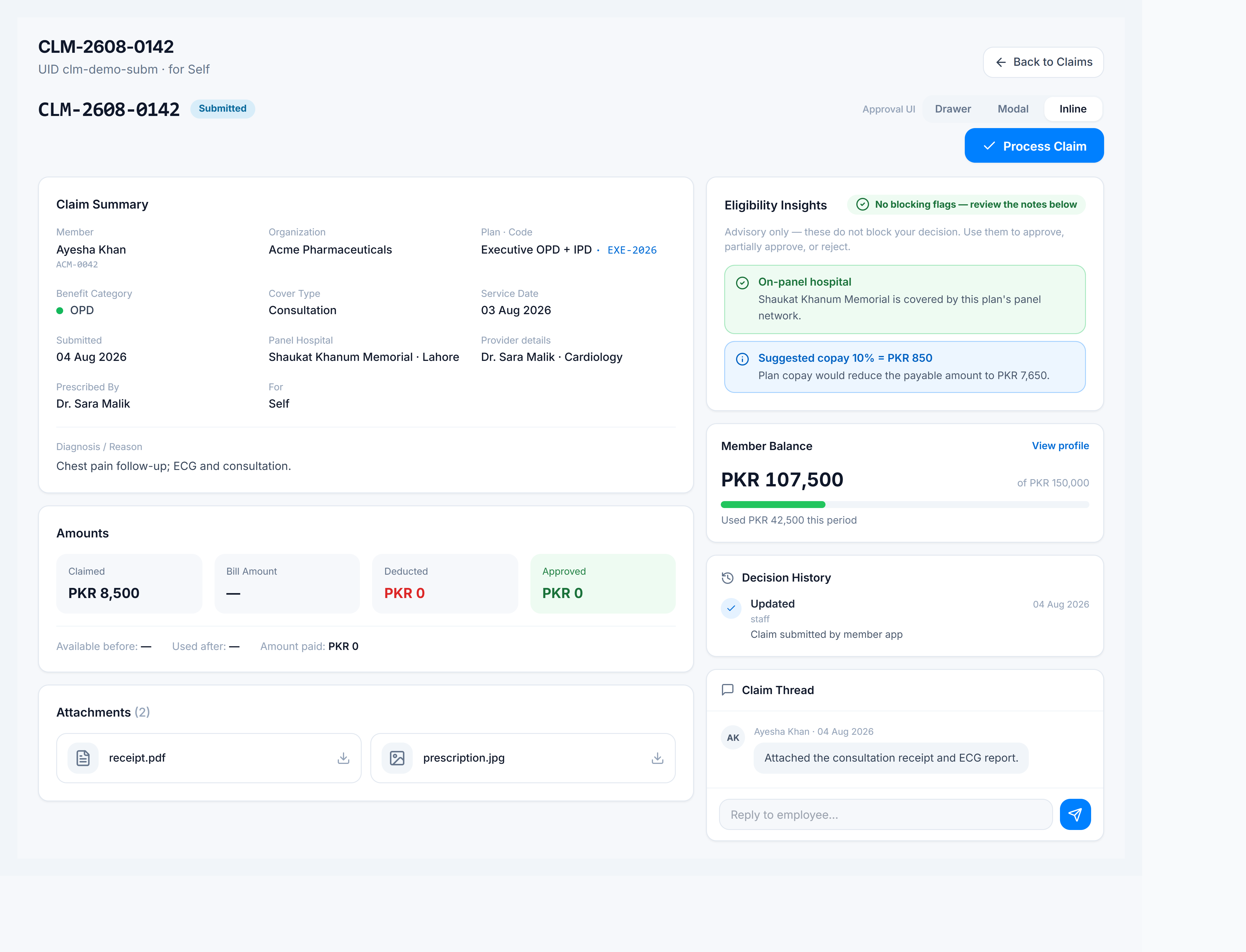
- Go to Claims Management → Claims and open a non-final claim (Submitted, Under Review, or Info Requested).
- Review Claim Summary, attachments, member balance, and the advisory panel (panel coverage, balance, copay, category rules).
- Click Process Claim.
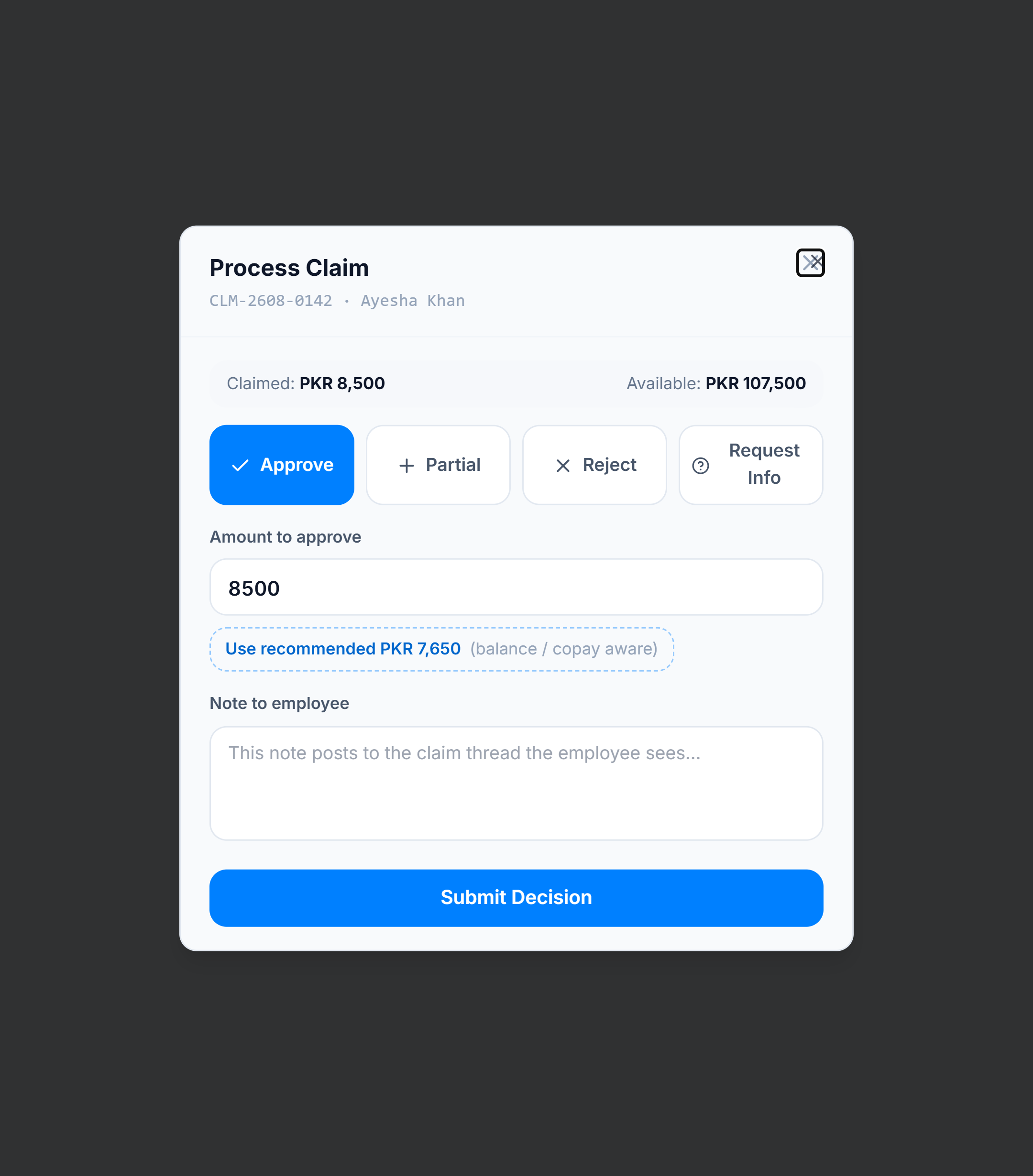
- Choose a decision:
- Approve — pay the claimed amount (capped by what you enter).
- Partial — enter a lower approved amount.
- Reject — deny the claim (no balance debit).
- Request Info — send the claim back for more documents/notes.
- If advisories show a danger flag and you still approve/partial, enter a written reason (required for the audit trail).
- Click Submit Decision.
Tips
- Advisories are informational — they do not block a decision; your submit is authoritative.
- Settled claims (Paid / legacy Approved, Partial, Rejected) can be Reopened when policy allows re-adjudication.