Add a product mapping
When to use this: a supplier sells a catalogue SKU you want on POs, GRNs, and demand projection for that vendor.
Steps
- On Supplier Products Mapping, confirm the correct supplier in the context bar.
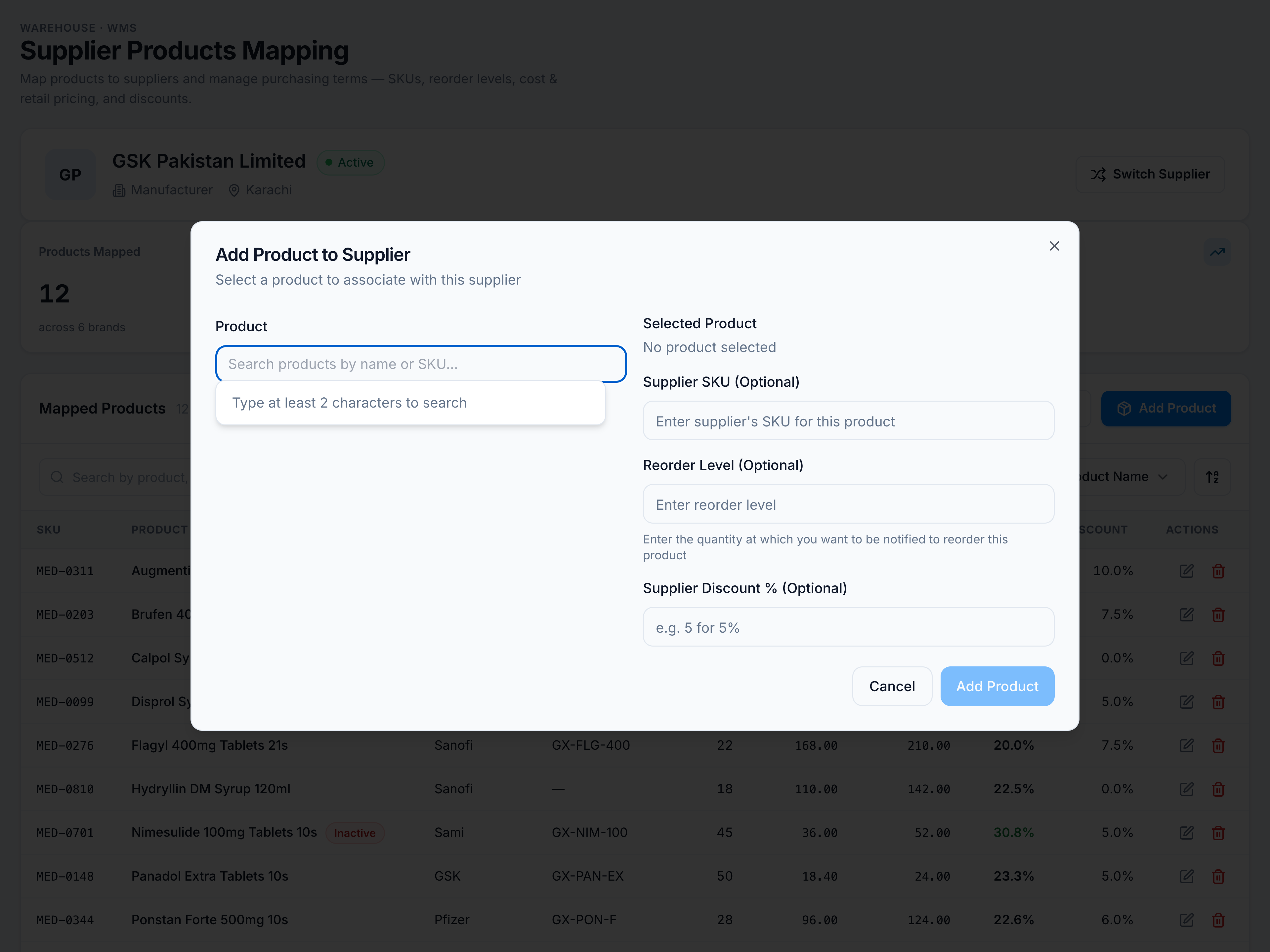
- Click Add Product (requires
supplier_products.manage). - Search and pick a catalogue product — already-mapped SKUs are excluded.
- Optionally set Supplier SKU, Reorder Level (whole number), and Discount % (0–100).
- Confirm — toast “Product added” and the row appears in the table.
If it goes wrong
| Message | Cause | Fix |
|---|---|---|
| ”No supplier selected” | No vendor in context bar | Switch Supplier first |
| Product not in picker | Already mapped to this supplier | Edit the existing row instead |
| Permission denied | Missing supplier_products.manage | Ask an admin — see Permissions |