Why the review shows one row per product
In one line: you buy a product once, so the review list shows it once — warehouse detail stays one tab away.
What buyers are deciding
A forecast run covers several warehouses because stock and sales differ by location. The purchase order does not. Demo Pharma should receive one line for Demo Amoxicillin 500mg, not one line per ward.
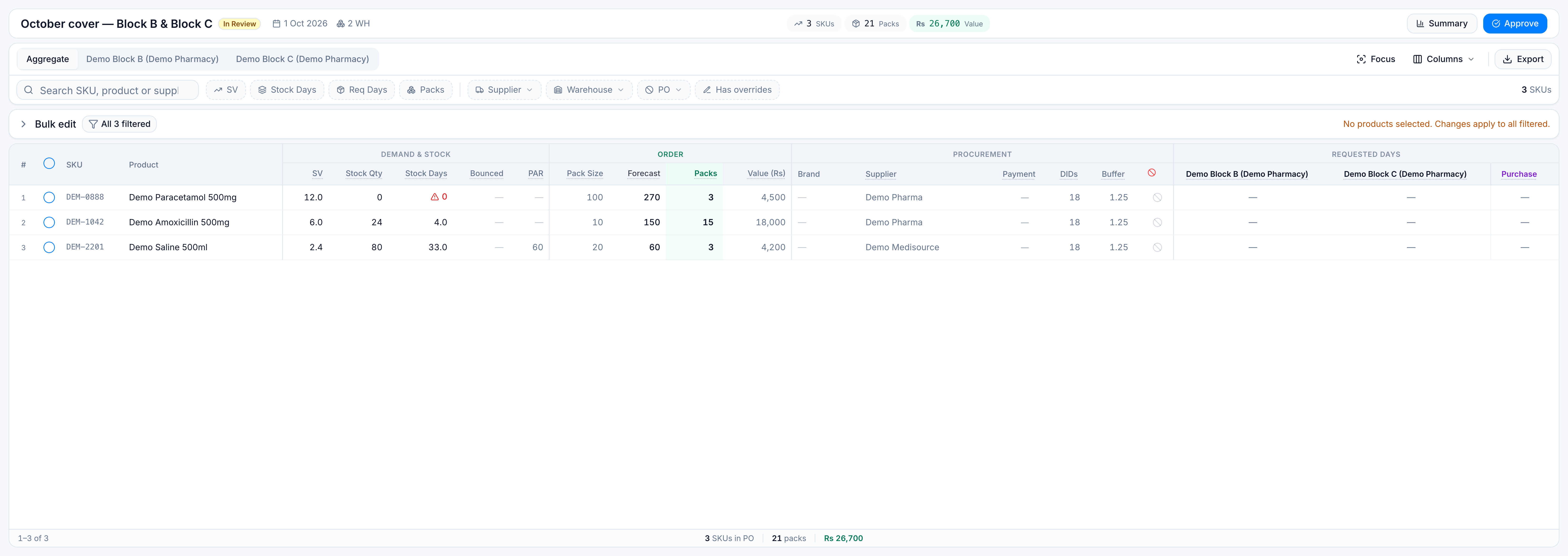
The Aggregate tab is that buying decision:
| Demo Block B | Demo Block C | What Aggregate shows | |
|---|---|---|---|
| SV | 3.6 | 2.4 | 6.0 |
| Stock qty | 10 | 14 | 24 |
| Requested days | 7 | 5 | Both, under Requested days |
| Packs to buy | 9.0 | 6.0 | 15 |
The packs and the supplier are the order. Splitting them into two rows would double-count the PO.
What still differs by warehouse
Stock on hand, sales velocity, bounced demand, and requested days are local. Block B can ask for 7 days while Block C asks for 5. Open the Demo Block B or Demo Block C tab to see that location’s share of SV, stock, forecast, and value. Block B’s share of Amoxicillin is 3.6 of the 6.0 SV, so the screen gives it 90 of the 150 units (9.0 packs).
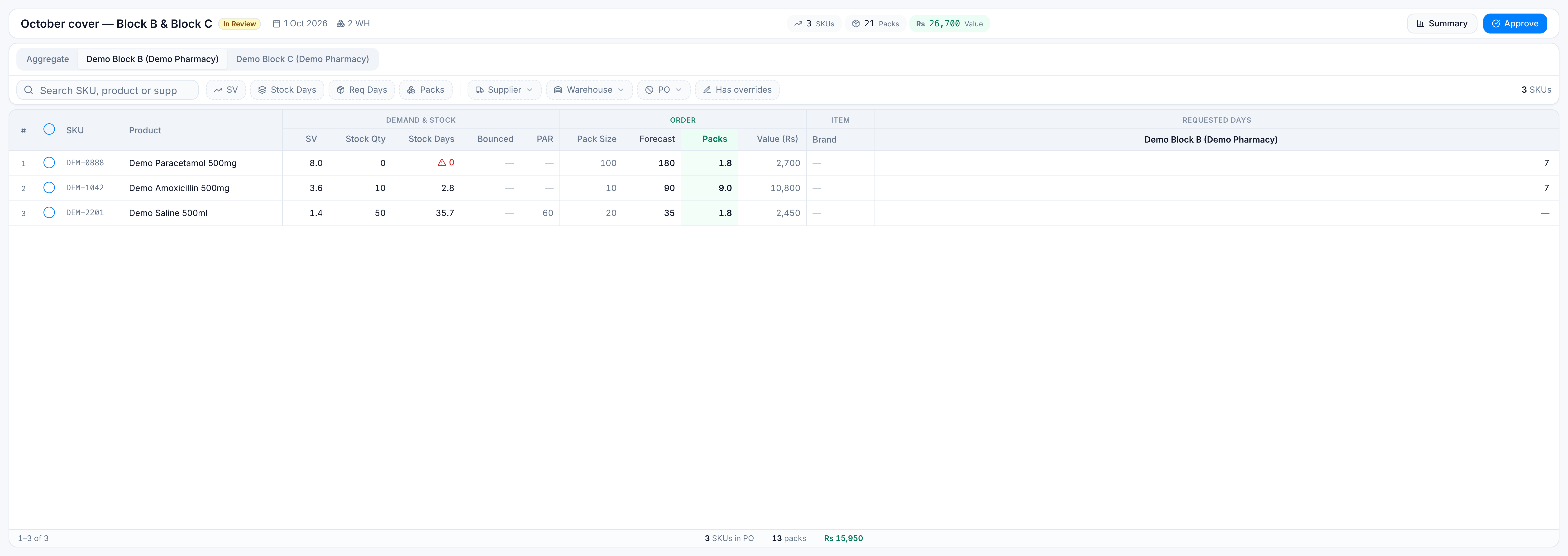
Editing requested days on Aggregate writes them for the warehouse you picked in the bulk bar. Editing packs, buffer, DIDs, supplier, or “exclude from PO” changes the product’s order, so every warehouse view of that product stays in step.
Why a filter can surprise you
The warehouse chip does not remove products. On a full run, every product already has a row for every warehouse, so hiding “other warehouses” would empty nothing. The chip changes the requested-days filter: the range is checked against the selected warehouses.
Has overrides is about the order line (buffer, extra DIDs, hand-typed packs). A requested-days difference between Block B and Block C is normal warehouse detail, not an override.