Finalize a plan
When to use this: after validation when you’re ready to create stock transfers. Requires auto_str.plan.finalize.
Steps
- On Plan Review (status validated_ok or validated_partial), click Finalize → create STRs.
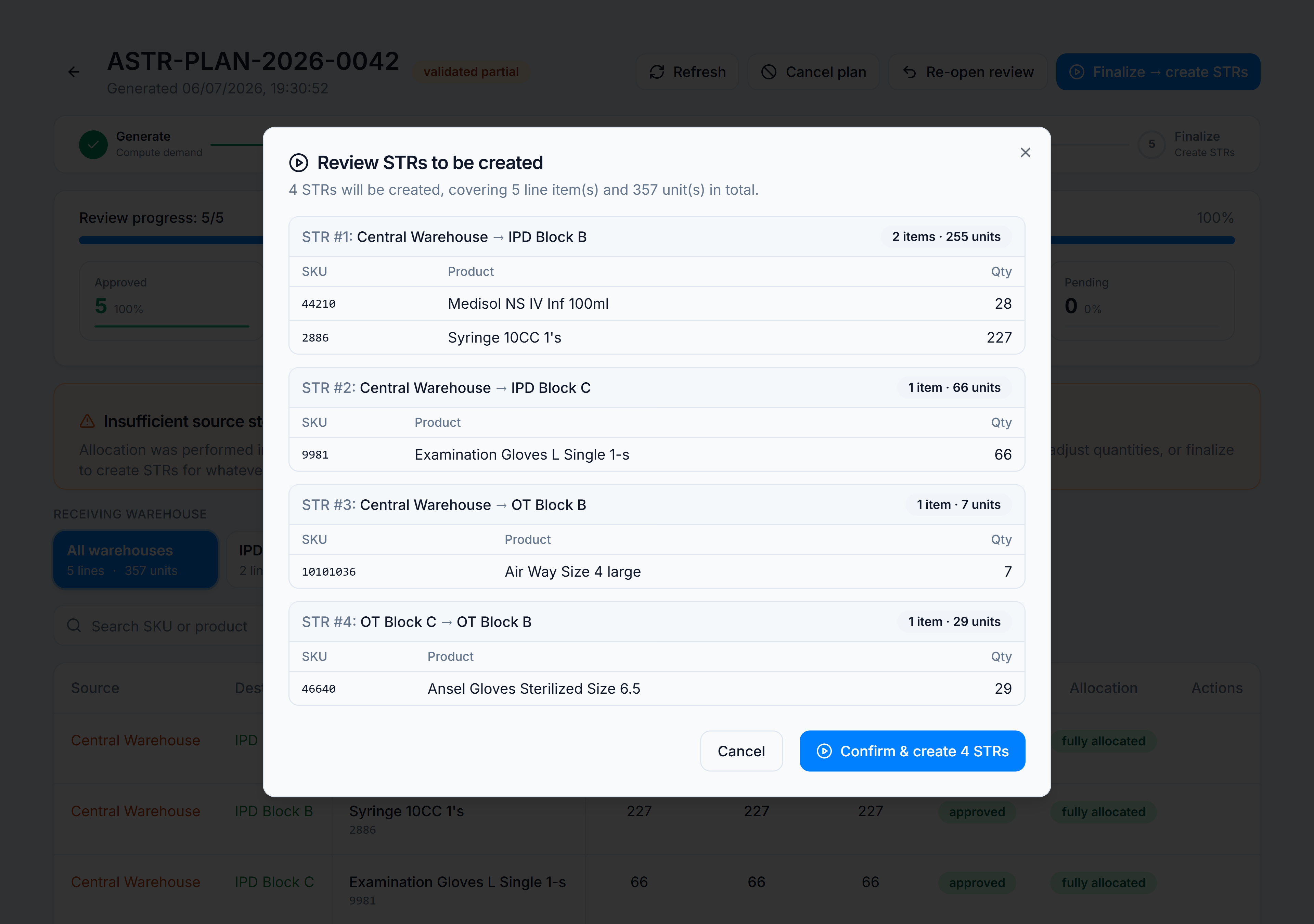
- The STR preview dialog lists one transfer per source → destination pair with SKU lines and quantities.
- Review totals. Click Finalize (or Create N STRs) to confirm.
- Toast:
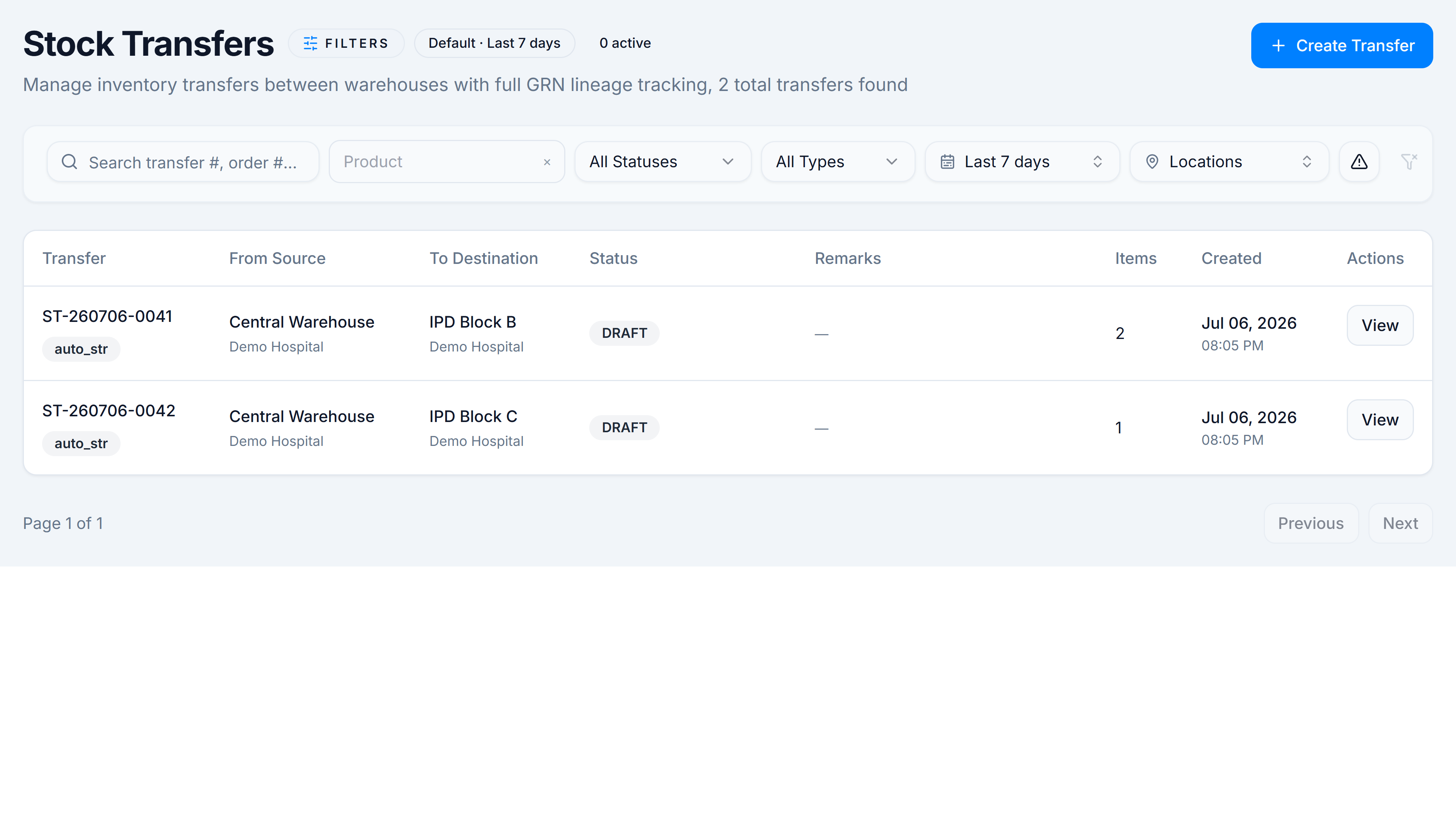
Created N STR(s) with M item(s).Partial FEFO allocations appendX partial allocation(s) at FEFO time. - You’re redirected to Inventory → Stock Control → Stock Transfers.
You’re done when
Plan status is finalized and new rows appear in Stock Transfers with source AUTO-STR_*.
Good to know
- Re-open review (
auto_str.plan.reopen) moves a validated plan back to in_review for edits. - Cancel plan is irreversible for non-terminal plans.
If it goes wrong
- Finalize hidden — plan not validated, or missing
auto_str.plan.finalize. - Finalize error — often stock moved since validation; Re-open review and resubmit.