Configure Auto STR
When to use this: before your first run, or when warehouse participation or cover targets change.
Steps
- Open Inventory → Stock Control → Auto STRs.
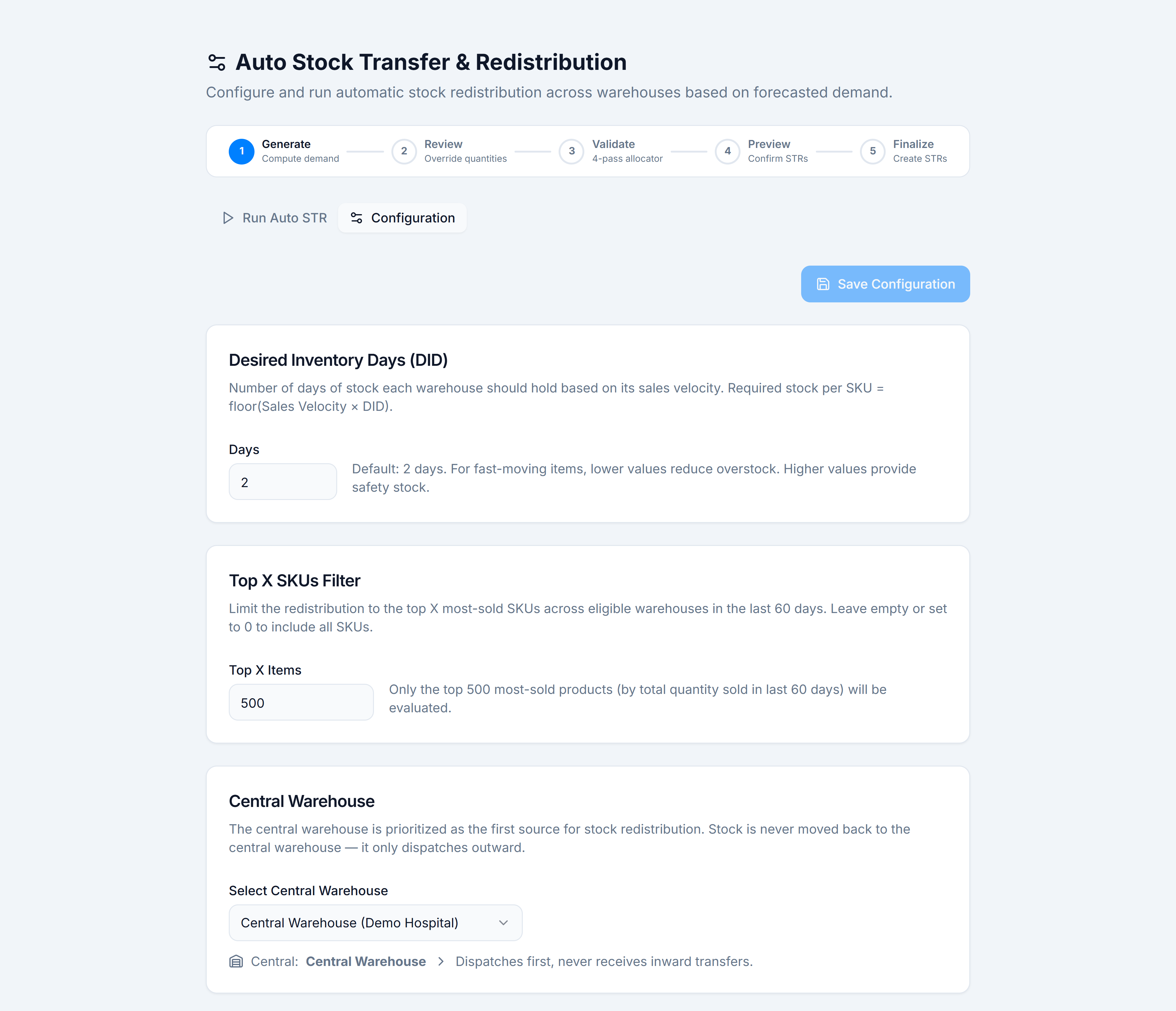
- Switch to the Configuration tab.
- Set Desired Inventory Days (DID) — days of stock each warehouse should hold (1–90; default 2).
- Optionally set Top X SKUs Filter — limit to the top N best-selling SKUs in the last 60 days. Leave empty for all SKUs.
- Pick a Central warehouse — this location dispatches first and never receives inward Auto STR transfers.
- Under Eligible warehouses, tick every warehouse that participates. You need at least two total participants (including central if set).
- Reorder Supply priority for non-central warehouses (drag handles or ↑↓) — higher priority sources are tried first after central.
- Click Save Configuration.
You’re done when
Toast: Auto STR configuration saved. The Run Auto STR tab shows your settings in the summary bar.
If it goes wrong
- Save Configuration disabled — you haven’t changed anything since the last save.
- Run Auto STR disabled on Run tab — fewer than two warehouses selected. Tick more under Eligible warehouses.