Review flagged suggestions (Pharmacist Center)
When to use this: to triage the suggestions cashiers have flagged — decide whether to
suppress a pair across the pharmacy or keep it live. Needs admin.view (read) or
admin.manage (resolve), granted in Admin → Access → Tenant Role Management.
Steps
-
Open System Tools → Smart Counsellor → Pharmacist Center (
/admin/recommendation-flags). -
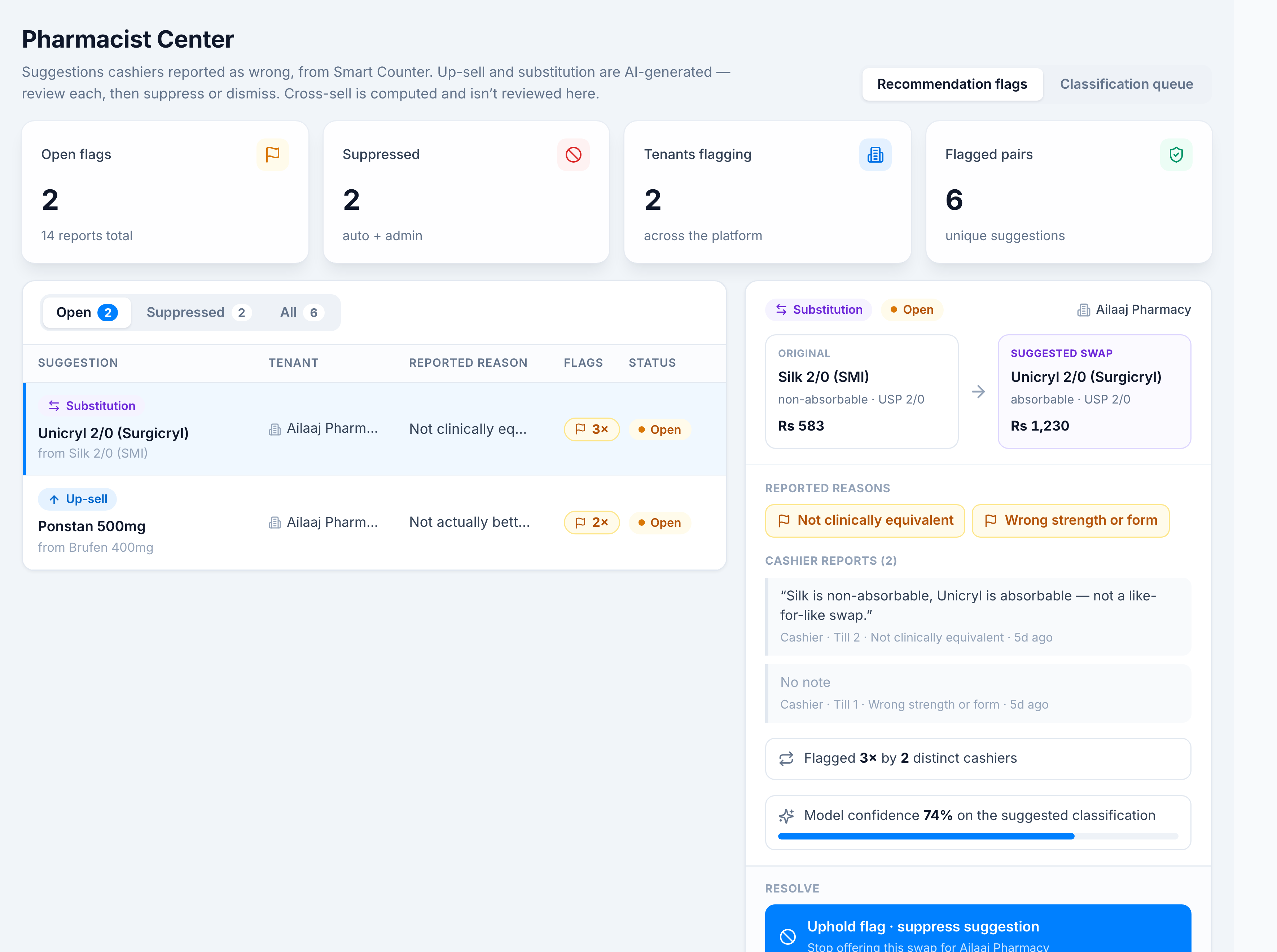
The queue groups flags by suggestion pair; filter by Open / Suppressed / All. Select a row to see the detail panel — original → suggested, reported reasons, cashier notes, flag count, and model confidence.
-
Resolve the flag:
- Uphold flag · suppress suggestion — stops offering that pair (reversible).
- Dismiss · suggestion is valid — keeps it live and lifts any auto-suppression.
You’re done when
The flag is resolved. Decisions are auditable and reversible — an Uphold can be undone by a Dismiss.
Good to know
- A pair is also auto-suppressed once two different cashiers flag it (Report a wrong suggestion); the Pharmacist Center lets you override either way.
- “Adjust rule…” is greyed out — expected; it’s coming soon. Use Uphold or Dismiss for now.
If it goes wrong
- Can’t open the Pharmacist Center — you need
admin.vieworadmin.manage. Ask an admin to grant it in Admin → Access → Tenant Role Management.