Read Order Financials
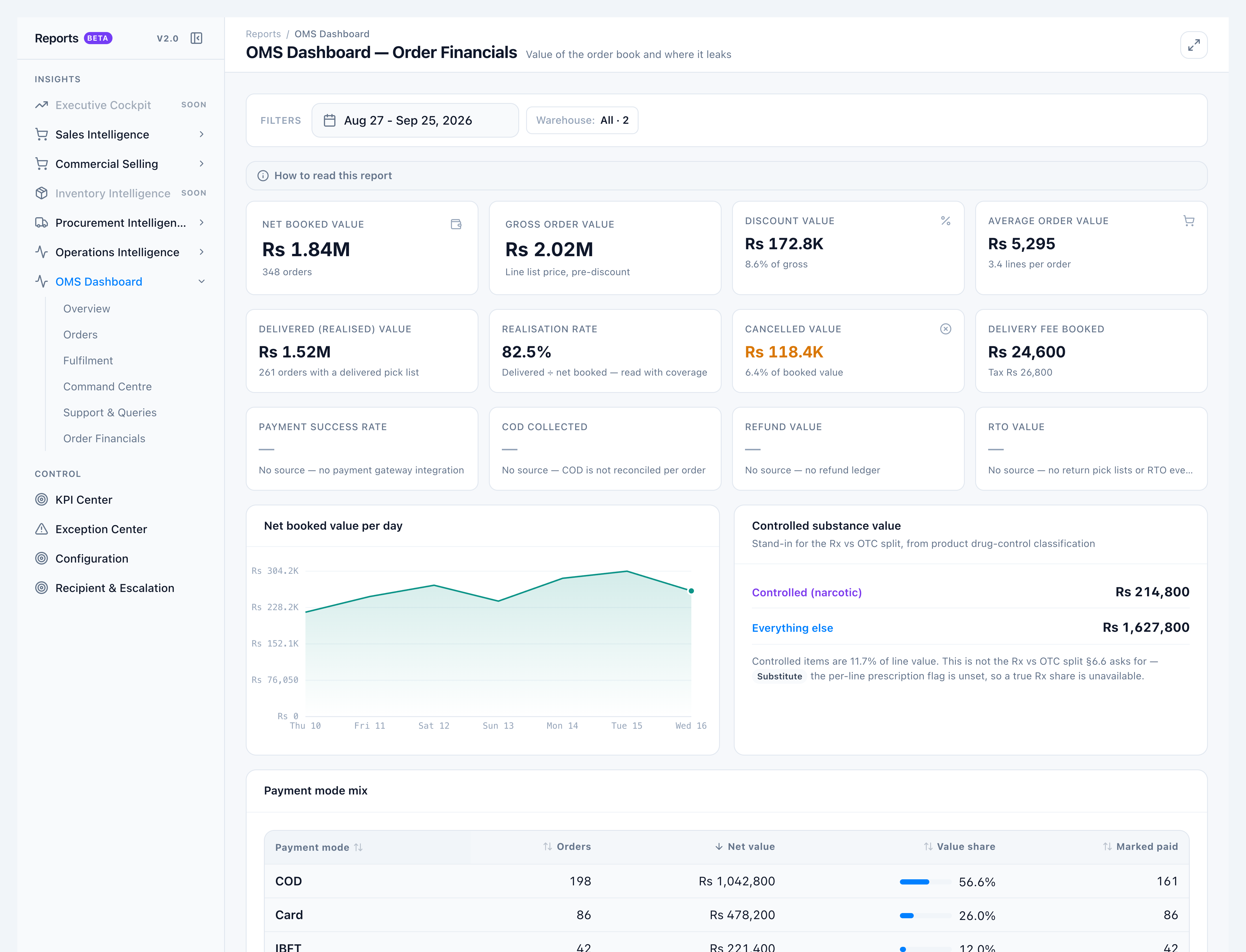
Use Order Financials for the value of the order book — not margin, COGS, or the general ledger.
When to use this
- Checking discount leak versus booked value
- Comparing delivered (realised) value to net booked
- Confirming Overview Net booked value and Average order value
Steps
- Confirm your role has View OMS Dashboard - Order Financials.
- Open OMS Dashboard → Order Financials.
- Check Net booked value = Gross order value − Discount value, and Average order value = net booked ÷ orders.
- Read Delivered (realised) value and Realisation rate.
- Confirm Payment success rate, COD collected, Refund value, and RTO value are blank with their No source notes.
Success looks like
- Net booked and AOV match Overview and Orders.
- A role without the financials permission cannot open the tab.
- Blank tiles name the missing source — they never show 0.
If it goes wrong
- Tab missing / access denied — Grant
order.reports.oms_dashboard_financials. The main dashboard permission is not enough. - Looking for profit — Cost and margin are out of scope on this tab.