Find a location
When to use this: when the tree is large and you want one location — or one branch — without scrolling.
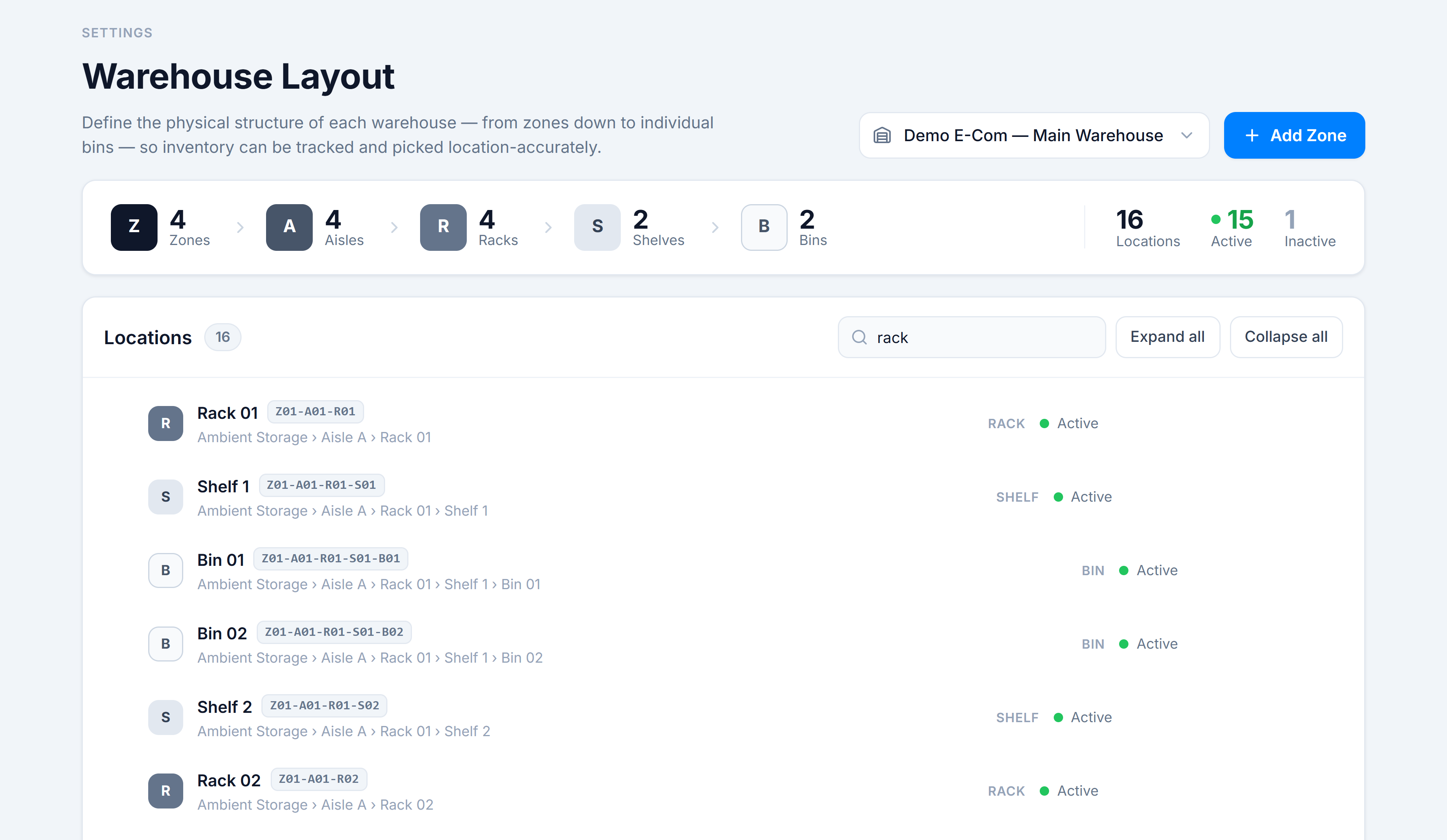
Steps
- Type in the Filter by name or code… box in the tree header. It matches on name, code, and the full path.
- Matches show as a flat list (each with its full path), so you can see results across every level at once.
- Clear the box to return to the normal nested tree.
Use Expand all / Collapse all (next to the filter) to open or close every branch at once.
You’re done when
The tree shows the location(s) you were looking for — or, if there’s no match, a No matching locations message with a Clear filter button.
Good to know
- Filtering searches the whole warehouse, not just the currently expanded branches.
- A search for a code fragment like
R01surfaces every matching rack across all zones.