Run statuses and settings
Scope: the status pill on a forecast run, and the settings that feed the next generate.
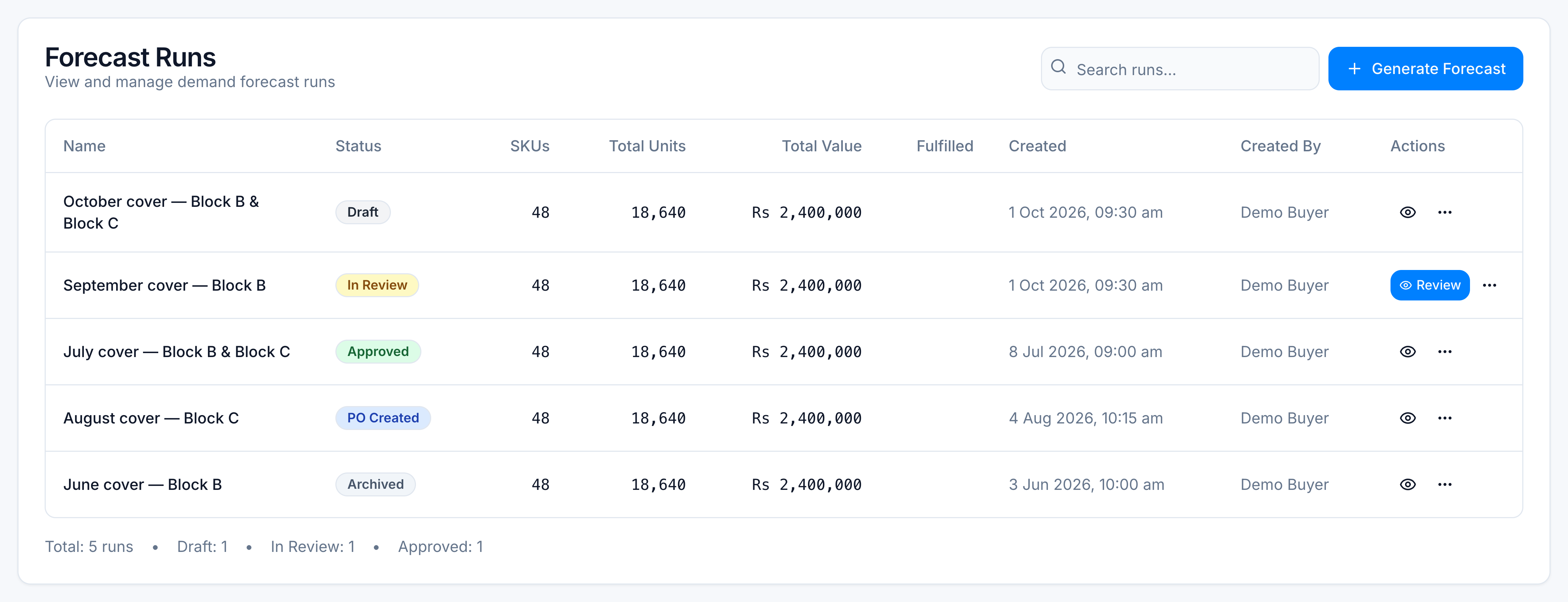
Statuses
Draft → In Review → Approved → PO CreatedArchived sits beside that path. You can archive a run you no longer work.
| Status | Meaning | Bulk edit |
|---|---|---|
| Draft | Generated, not yet submitted. You can delete a draft if you can archive. | Open |
| In Review | Submitted. Review Now opens the lines. | Open |
| Approved | Agreed, purchase orders not created yet. | Locked, unless the role has edit-after-approval (demand_forecast.edit_after_approved) |
| PO Created | Purchase orders have been created from this run. | Locked |
| Archived | Filed away. | Locked |
Who can do what
Admin and tenant owner roles get every action. Other roles need the matching permission.
| Button or edit | Permission |
|---|---|
| Generate Forecast | demand_forecast.create |
| Submit for Review | demand_forecast.submit_review |
| Approve | demand_forecast.approve |
| Create PO | demand_forecast.create_po |
| Archive or delete a draft | demand_forecast.archive |
| Requested days | demand_forecast.edit_requested_days |
| Buffer | demand_forecast.override_buffer |
| DIDs | demand_forecast.override_dids |
| Pack quantity | demand_forecast.adjust_pack_qty |
| Exclude or include on the PO | demand_forecast.exclude_from_po |
| Settings tab | demand_forecast.edit_view_settings |
A missing permission hides that control. It does not change numbers already saved.
Settings that affect the next run
Open Replenish Stock → Planning → Demand Forecast, then Settings.
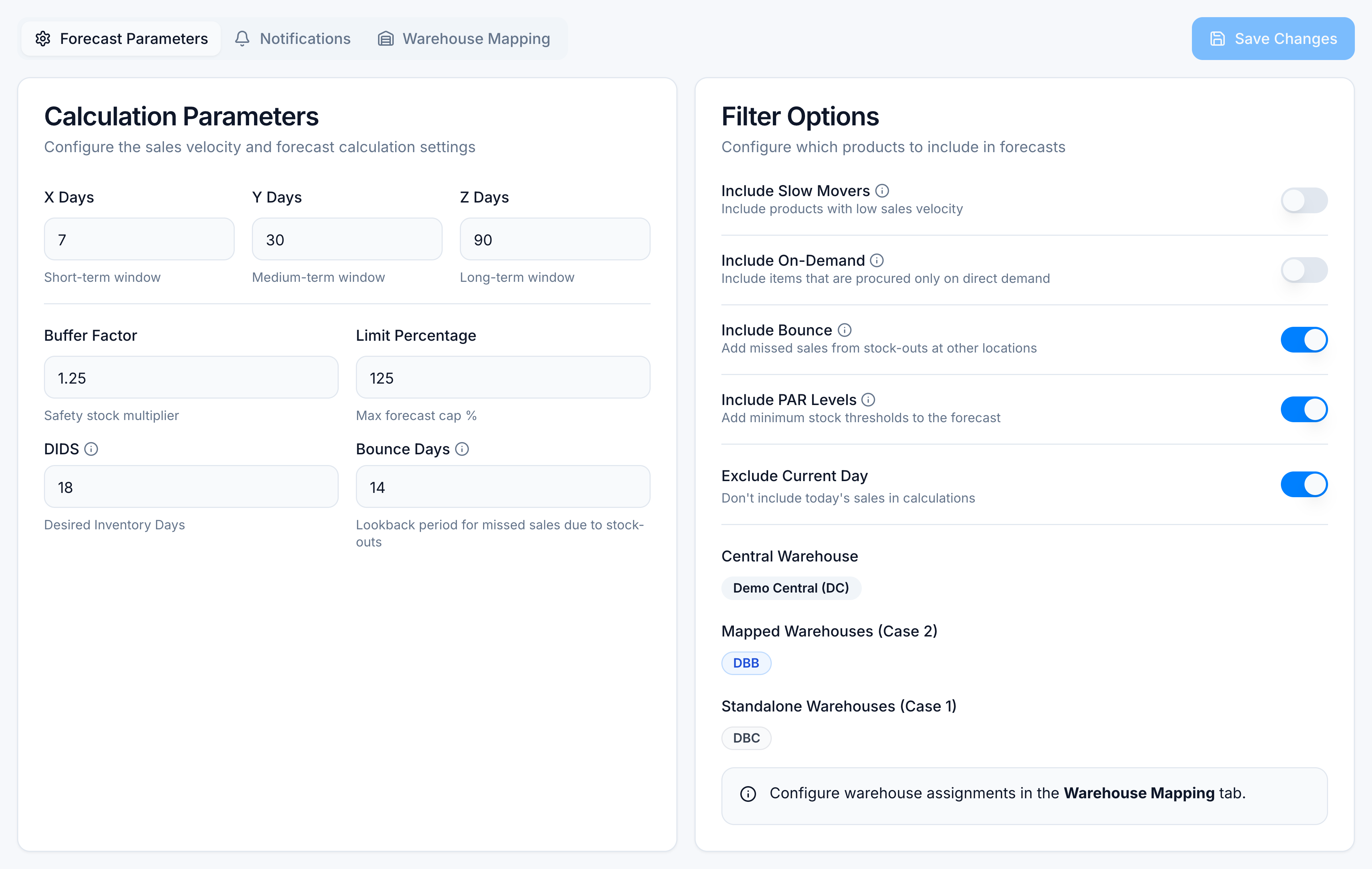
| Setting | Demo value | Meaning |
|---|---|---|
| X Days | 7 | Short sales window |
| Y Days | 30 | Medium sales window |
| Z Days | 90 | Long sales window |
| Buffer Factor | 1.25 | Safety-stock multiplier. 1.00 is no extra buffer. |
| Limit Percentage | 125 | Cap on how far the forecast may rise versus recent sales |
| DIDS | 18 | Desired Inventory Days — days of sales to hold |
| Bounce Days | 14 | Window for units lost to stock-outs elsewhere, when Include Bounce is on |
| Include PAR Levels | On | Adds minimum-stock (PAR) units and can bring in SKUs with no recent sales |
| Warehouse assignment | Demo Central + Block B & Block C | Which warehouses are central, mapped, or standalone |
Saving settings does not rewrite a run you already generated. Generate again to pick up new windows, DIDs, or buffer.
Demo settings snapshot
October cover — Block B & Block C was generated with X/Y/Z of 7/30/90, buffer 1.25, and 18 DIDs. The sample rows in the tutorial are that run’s output, not a worksheet you should recompute by hand.