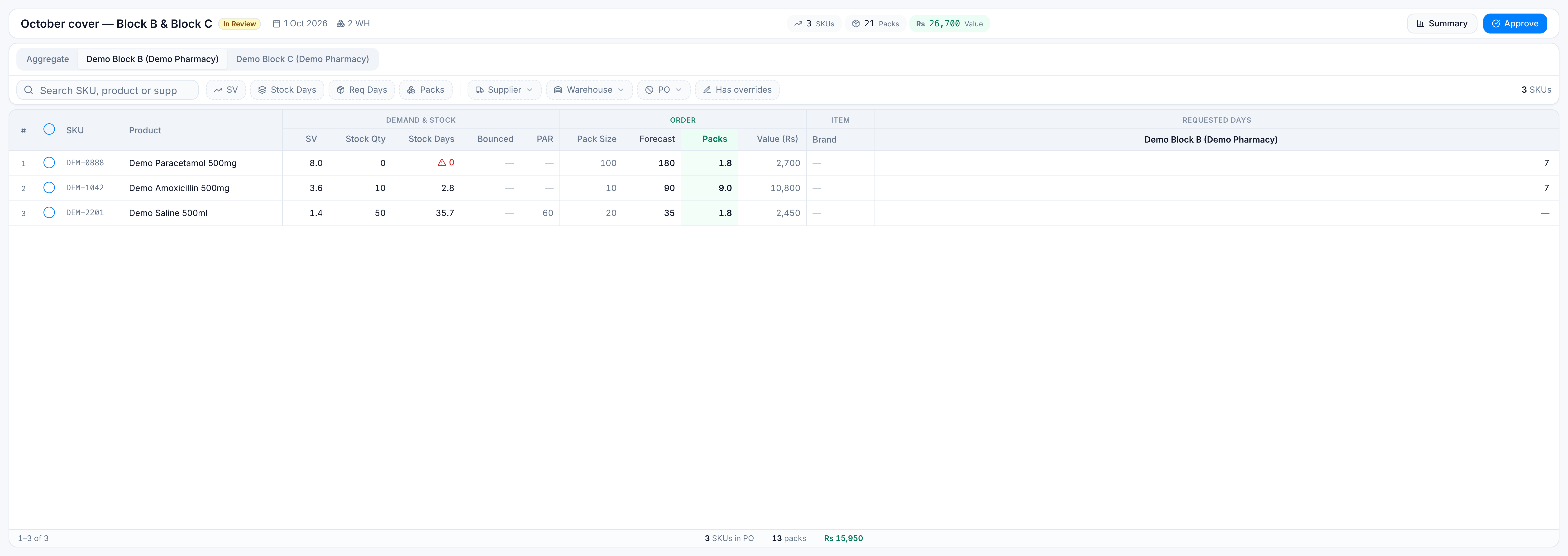
Review lines and bulk-edit
Goal: adjust a forecast before it is approved. Where: open a run from Replenish Stock → Planning → Demand Forecast. Stay on Aggregate for combined edits.
Bulk edit is available on Draft and In Review. PO Created and Archived runs are locked. An Approved run stays locked unless your role can edit after approval.
Steps
- Open the run. Review is the button on an In Review row.
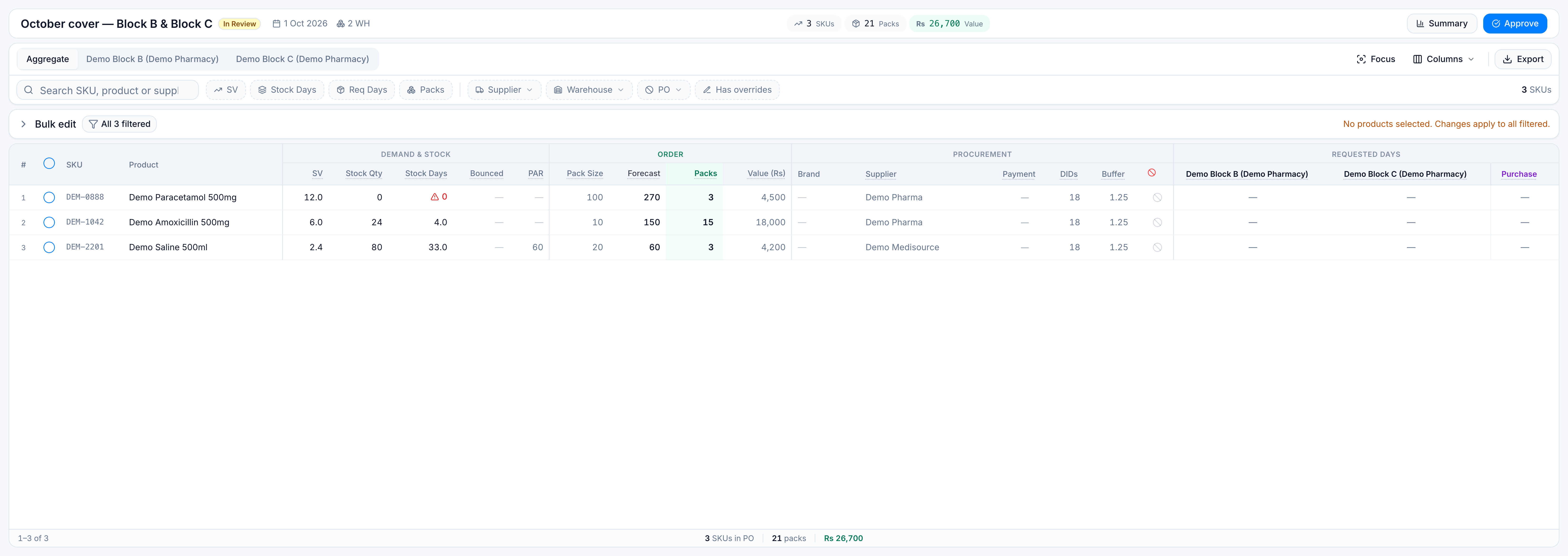
- Use the filters so the table shows the products you mean to change. Search, SV, Stock Days, Req Days, Packs, Supplier, PO (included or excluded), and Has overrides all limit the set. The warehouse chip changes how a requested-days range is judged; it does not hide products that exist on every warehouse.
- Tick the rows to change. Leave every box empty if you intend to change all filtered products.
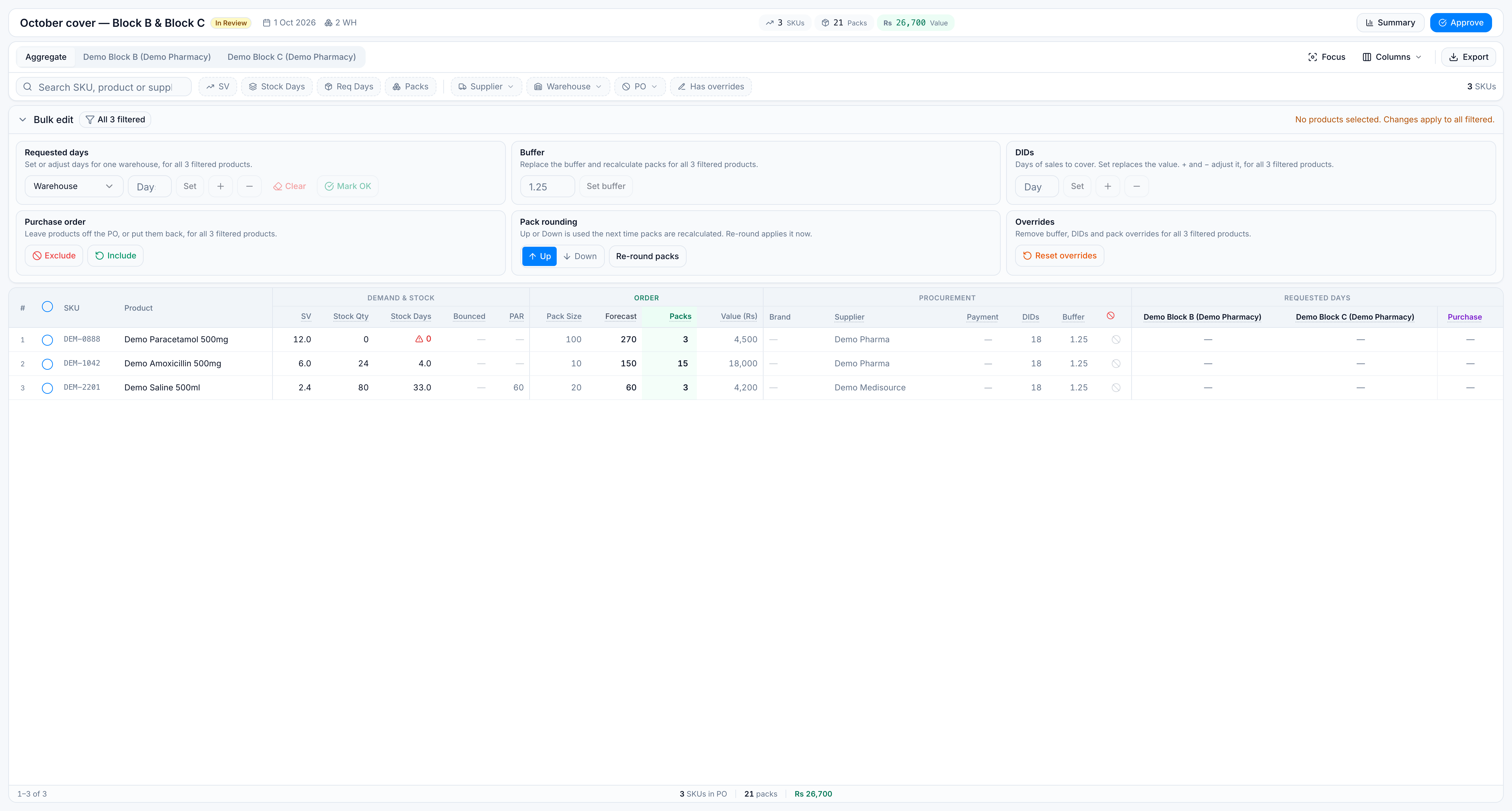
- Click Bulk edit to expand the bar. It starts collapsed.
- Apply one action. Each action saves once for the whole set.
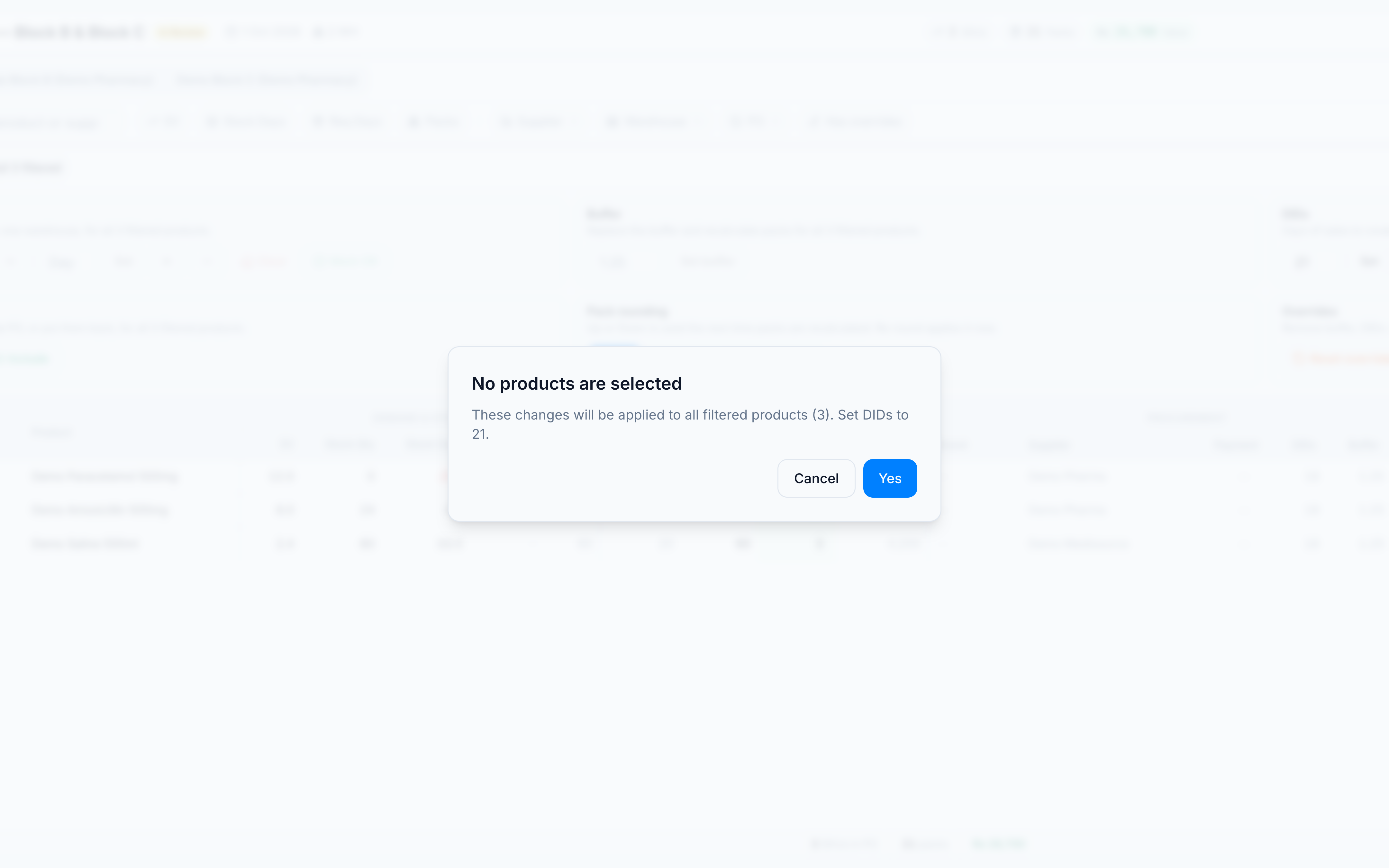
If nothing is ticked, the dialog says No products are selected and These changes will be applied to all filtered products. Click Yes to continue. A large destructive change (exclude, clear days, or reset) also asks you to confirm when more than 25 rows are selected.
What each group does
Worked on the demo line DEM-1042 Demo Amoxicillin 500mg (SV 6.0, stock 4 days, 15 packs, Rs 18,000, default 18 DIDs).
| Group | Action | What you get |
|---|---|---|
| Requested days | Set, add, subtract, or clear | Days of demand to ask from one warehouse. Pick the warehouse first when you buy for more than one. Mark OK records that warehouse as reviewed. |
| Buffer | Set buffer | Safety-stock multiplier for the ticked products. Setting Amoxicillin from 1.25 to 1.10 lowers its suggested units. |
| DIDs | Set | Total days of cover, not an add-on. Set 21 means 21 days, even if the run default was 18. |
| DIDs | + or − | Adds or removes extra days on top of the current cover. |
| Purchase order | Exclude / Include | Drops the line from the PO, or puts it back. |
| Pack rounding | Up or Down, then Re-round packs | Up / Down is the preference. Re-round packs applies it. |
| Overrides | Reset overrides | Clears a buffer override, extra DIDs, and a hand-typed pack quantity, and restores the generated packs. |
Reset overrides does not clear requested days, the supplier, a comment, or a line you excluded by hand while it still had packs. A line that was excluded only because packs were zero can come back onto the PO if the reset restores packs.
Demo: set DIDs on short-stock lines
- Set Stock Days maximum to 7. In the fixture, Amoxicillin (4 days) and Paracetamol (0 days) match. Saline (33 days) does not.
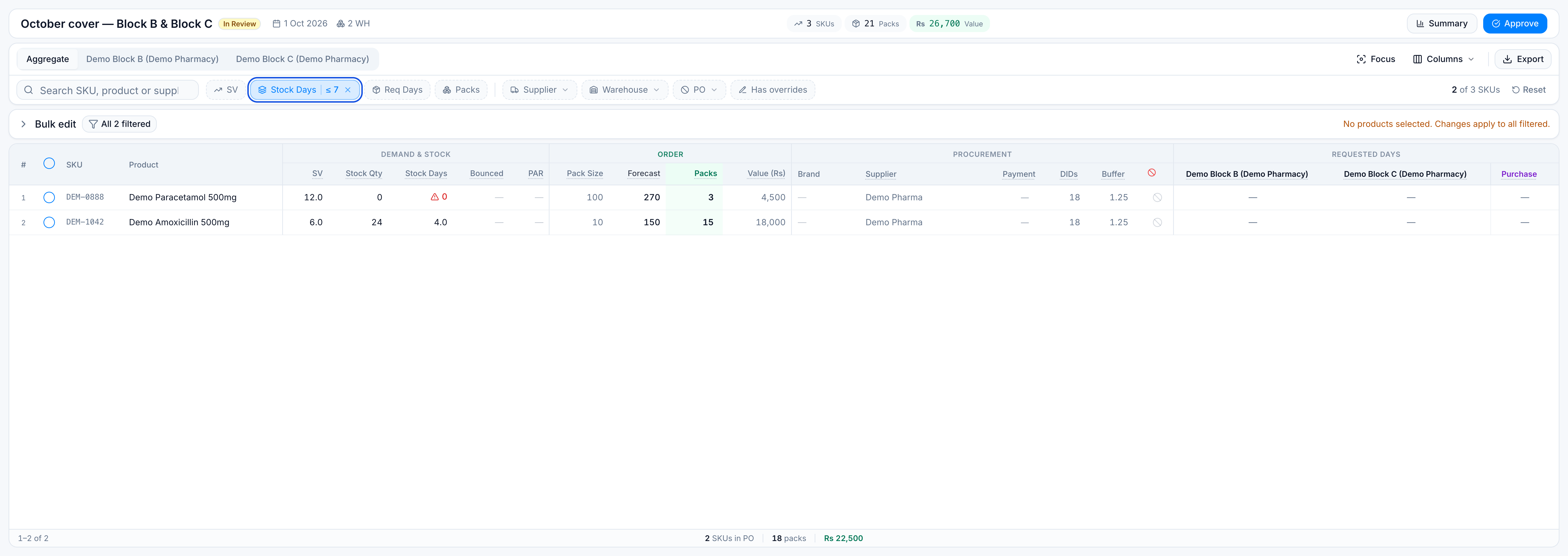
- Tick both matching rows.
- Expand Bulk edit → DIDs and Set
21.
Both lines now cover 21 days. Saline stays at 18. The footer pack count and rupee total update for the lines still on the PO.
Warehouse tabs
Tabs next to Aggregate (Demo Block B, Demo Block C) show that warehouse’s stock, SV, forecast share, and requested days. Bulk edit of the full order stays on Aggregate. A slim requested-days bar on a warehouse tab changes days only for the rows you have ticked on that tab.