Create a package
Steps
- Go to Package Products (
/pims/package-products). - Click Create Package (header or empty state).
- Fill Package Name (required), optional SKU and Description.
- Confirm Active is on if the bundle should be sellable at the counter.
- Add at least one product in Package Contents (see Add products & pricing).
- Review Pricing Summary in the sidebar.
- Click Save Package.
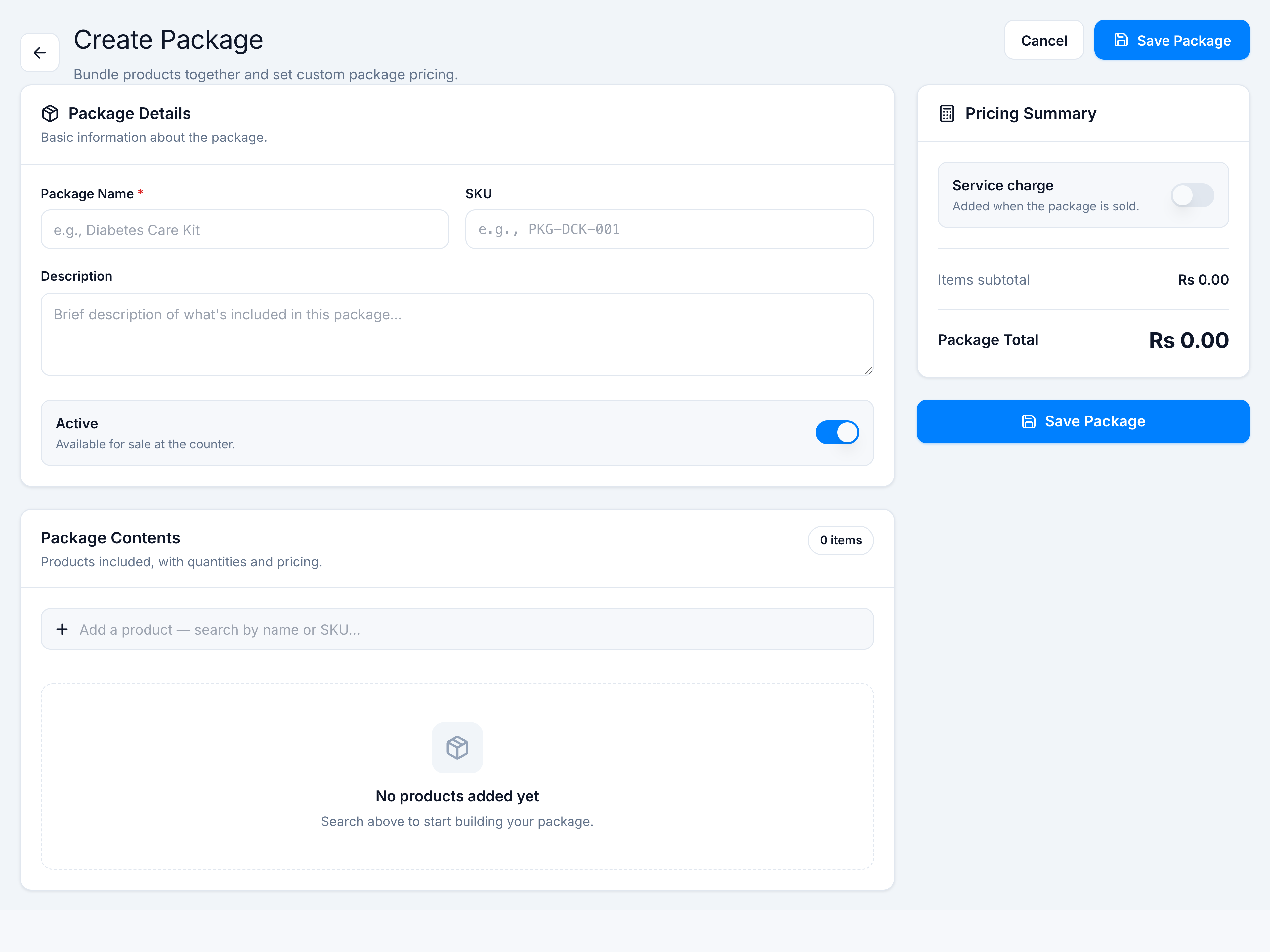
Validation requires a name and at least one bundled product. On success you return to the list with a confirmation toast.