Edit or delete an ingredient
Edit
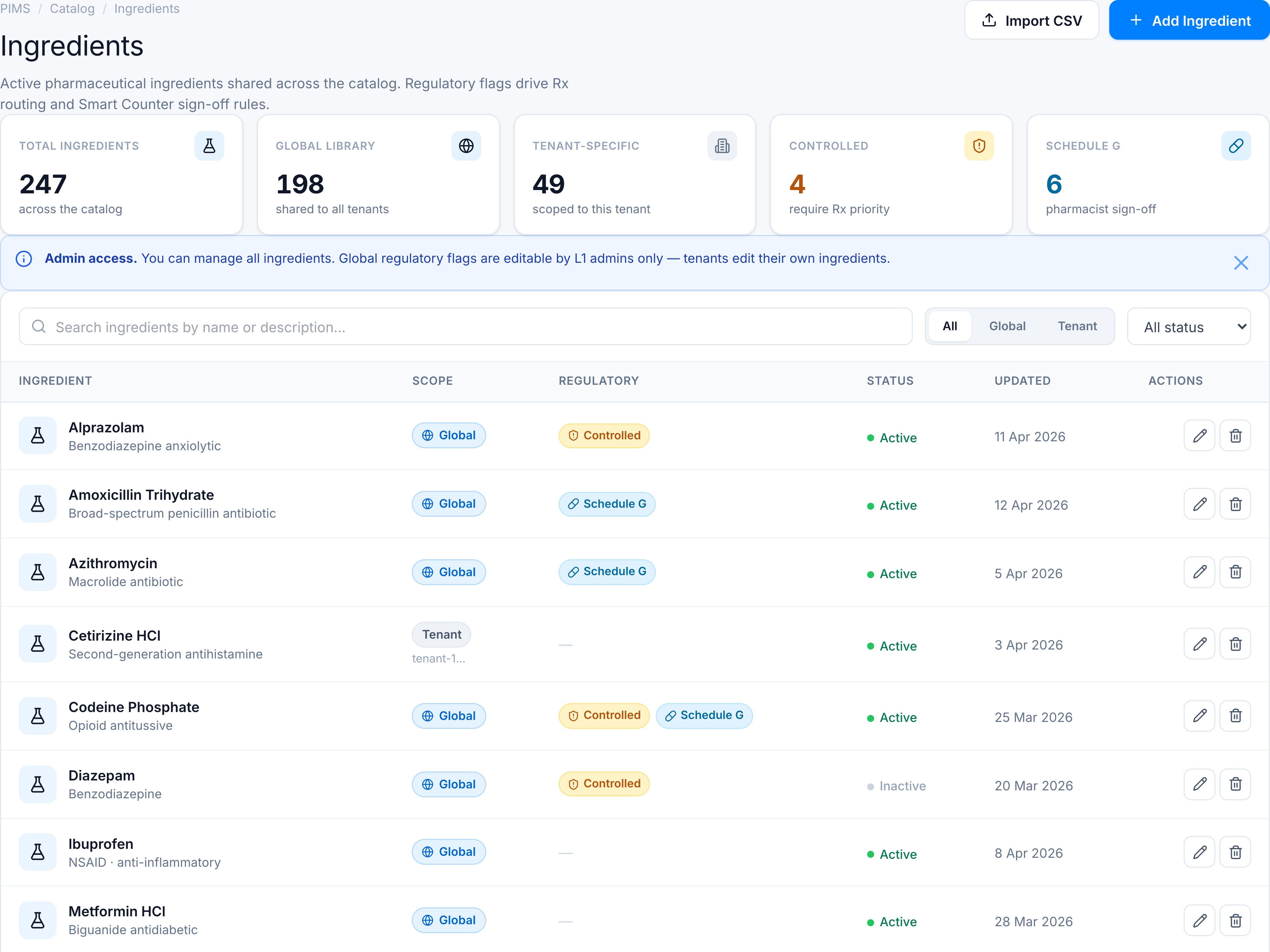
- Find the row in the Ingredients table.
- Click the Edit (pencil) action — disabled for global rows when you are a tenant user.
- Update fields in the dialog and click Save.
Success toast: Ingredient updated successfully.
Delete
- Click the Delete (trash) action on an editable row.
- Confirm in the dialog — warns that linked products may lose regulatory flags.
- Click Delete.
Success toast: Ingredient deleted successfully.
Blocked actions
| Situation | Message |
|---|---|
| Tenant user edits global row | Global ingredients can only be edited by platform administrators |
| Tenant user deletes global row | Global ingredients can only be deleted by platform administrators |
See Fields & permissions.