Add an ingredient
Steps
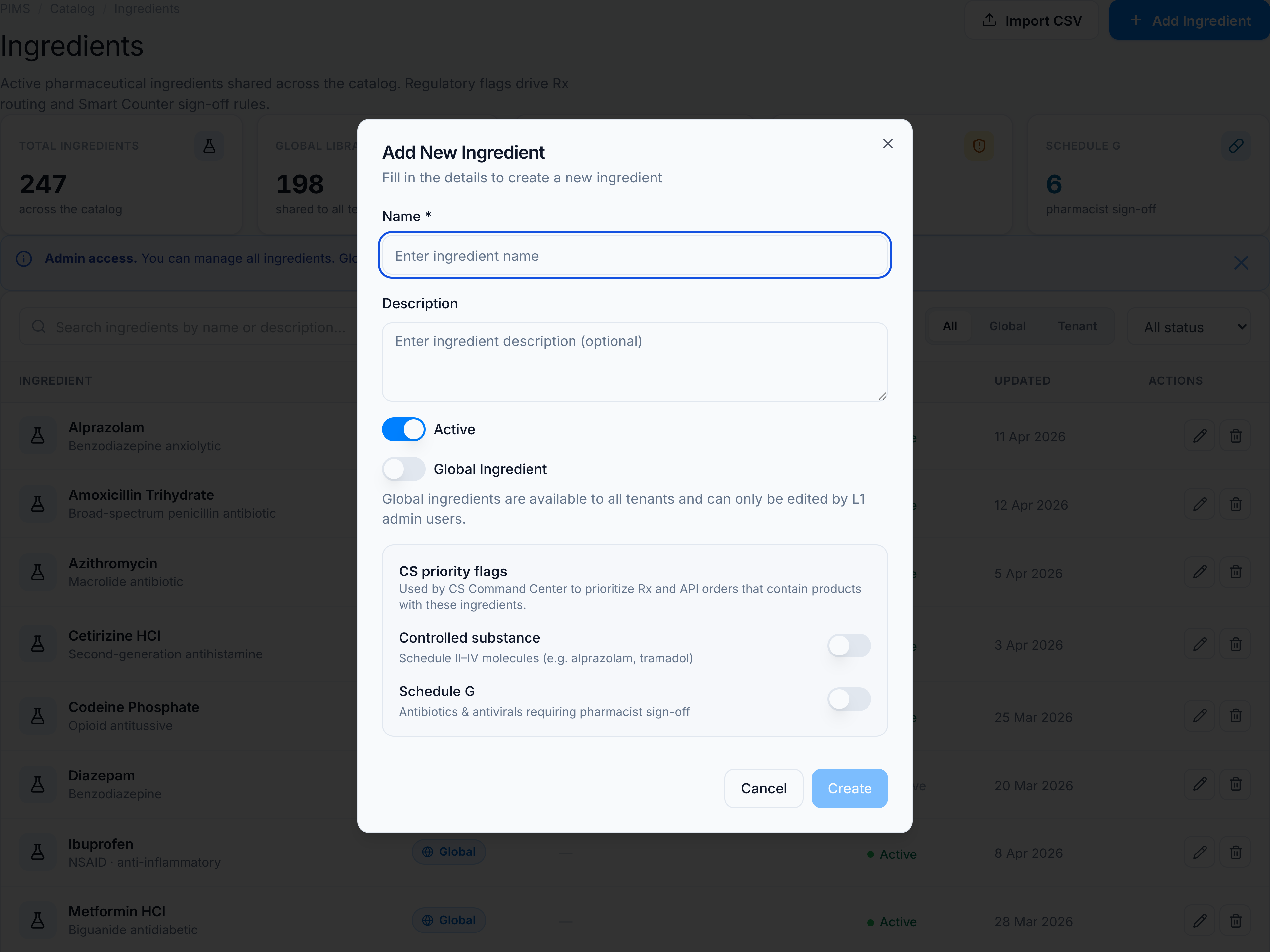
- Open Ingredients and click Add Ingredient (header) or the empty-state CTA.
- Enter Name (required) and Description (optional).
- Set Active — inactive ingredients stay in the library but won’t attach to new products.
- Toggle Controlled substance and/or Schedule G when the API requires Rx priority or pharmacist sign-off.
- L1 admins only: enable Global ingredient to share across all tenants. Tenant users always create tenant-scoped rows.
- Click Save.
Success toast: Ingredient created successfully.
Permissions
Requires product.ingredients. Tenant users cannot create global ingredients.
See Fields & permissions.