Add a brand
Steps
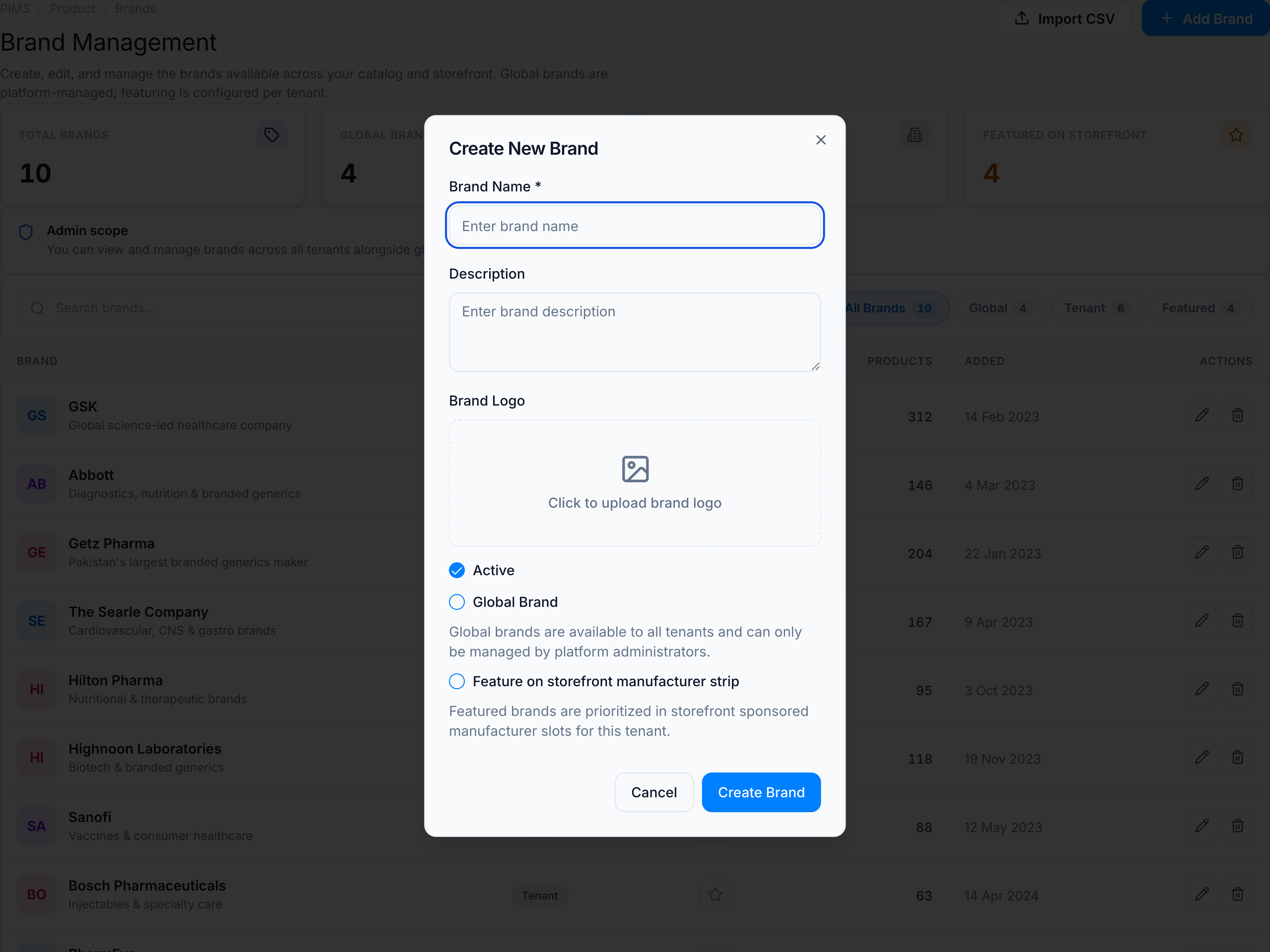
- Open Brands and click Add Brand.
- Enter Name (required) and Description (optional).
- Upload a Logo if available — otherwise initials avatar is used in the table.
- L1 admins only: enable Global brand to share across all tenants.
- Optionally mark Featured on storefront for this tenant.
- Click Save.
Requires permission product.brands.
See Fields & permissions.