CS Command Center — store WhatsApp inbox
How to get there
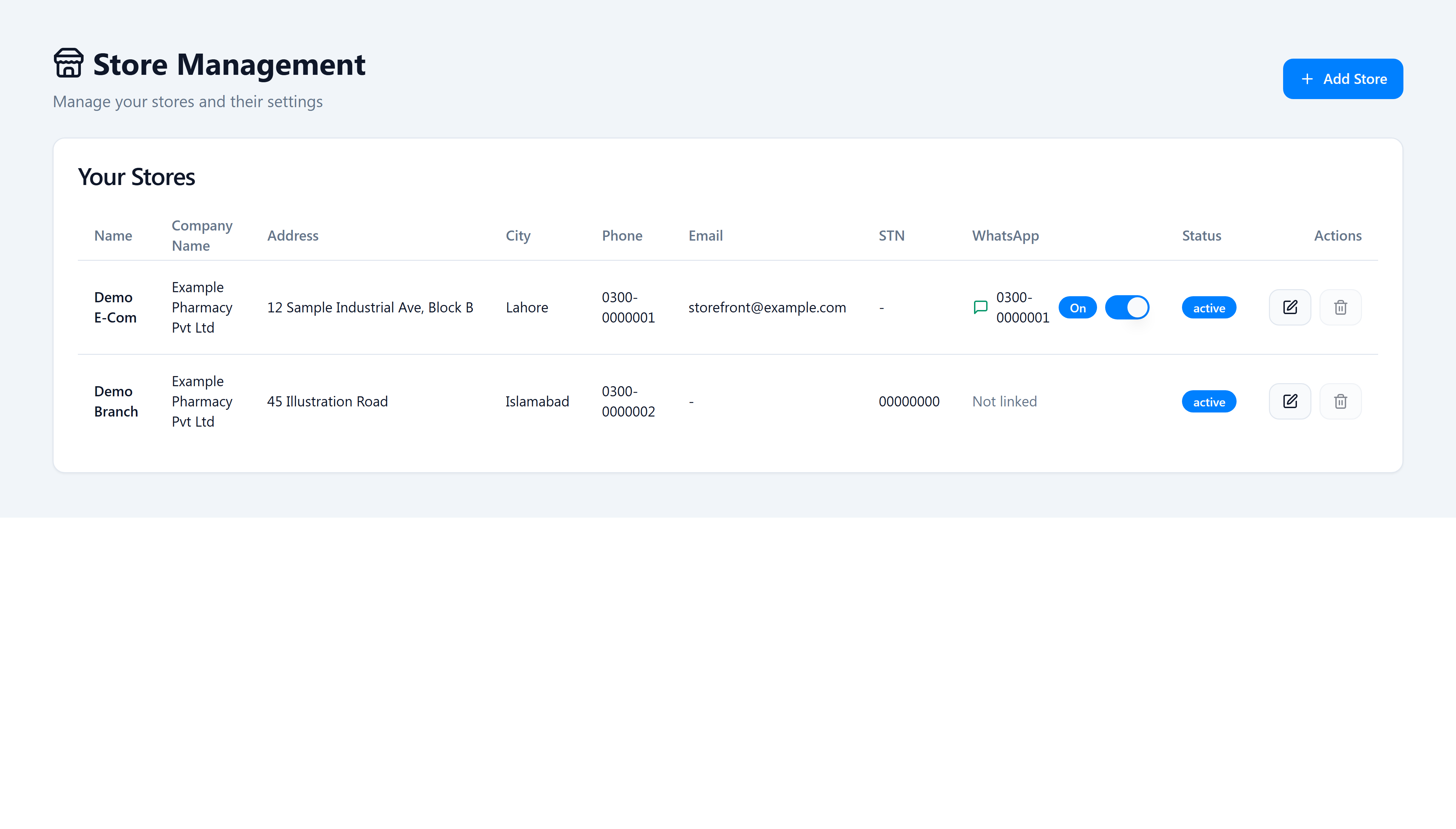
Admin → Settings → Stores (/settings/stores).
Platform admins link the Evolution instance at Admin → Tenant stores (not shown here).
What changed
CS Command Center human chat now sends and receives on the linked store WhatsApp inbox (for example the LHR-Ecom line). It does not use the platform Ailaaj One AI Bot WhatsApp number used for marketing automation.
See linked WhatsApp per store (tenant owner)
- Open Admin → Settings → Stores.
- In Your Stores, find the WhatsApp column.
- Linked stores show the business number, an On/Off badge, and a toggle (tenant owners only).
- Not linked means no store inbox is configured — CS chat for that storefront warehouse will not use a dedicated line until an L1 admin links the store.
CS staff — open human chat
- Open Orders → CS Command Center.
- Select a prescription or order with a customer phone.
- Open WhatsApp chat → Start human chat.
- Messages route through the store-linked Evolution instance tied to that storefront’s default warehouse.
If it goes wrong
| Symptom | Likely cause | Fix |
|---|---|---|
| WhatsApp shows Not linked | Store never linked by platform admin | L1 admin links instance at Admin → Tenant stores |
| Chat sends but no history | Evolution instance quirk | Wait 1–2s on first open; use Refresh in the drawer |
| Wrong number / bot replies | Store not linked; falls back to platform bot | Link correct store instance |
Related
- OMS v1.3 release notes — full ship list and migration
20260612120000_store_evolution_whatsapp